⚡ INSTANT DIGITAL DOWNLOAD | 100% SECURE CHECKOUT | FINAL SALE (NON-REFUNDABLE DIGITAL ASSETS)

Shopify Product CSV Templates & JSON Catalogs — Ready to Import

Pre-mapped columns, realistic sample data, beginner setup guides. Upload to Shopify in minutes or plug the JSON into your Next.js store. Zero guesswork.

Browse Instant Templates

1. Pick Your Catalog

Choose the niche pack that matches what you sell.

2. Secure Checkout

Pay via Stripe with instant automated delivery.

3. Import & Sell

Follow the visual guide: Shopify Import or JSON plug-in.

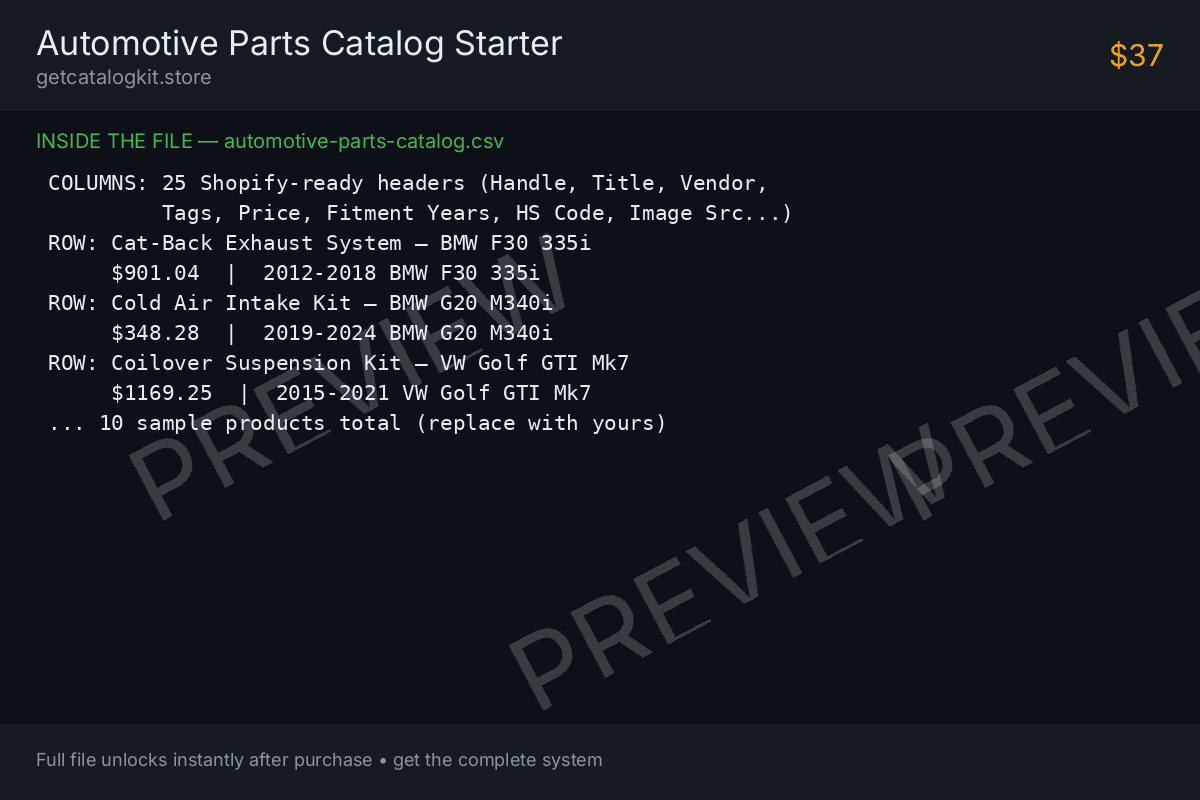
Preview of Automotive Parts Catalog Starter — sample pages CSV TEMPLATE

Automotive Parts Catalog Starter (.csv)

A 10-product automotive catalog spreadsheet with Shopify's exact column headers — replace the sample rows with your parts and import. Your first 10 listings, done in an afternoon.

What's Inside — full contents
  1. automotive-parts-catalog.csv — 10 sample products, Shopify-exact column headers
  2. SKU, price, stock, tags, images, fitment years, HS code
  3. setup-guide.md — click-by-click: Google Sheets to Shopify Import
  4. Replace sample rows with your parts and import

Files: automotive-parts-catalog.csv (.csv), setup-guide.md (.md)

$37
Buy Now & Download - $37
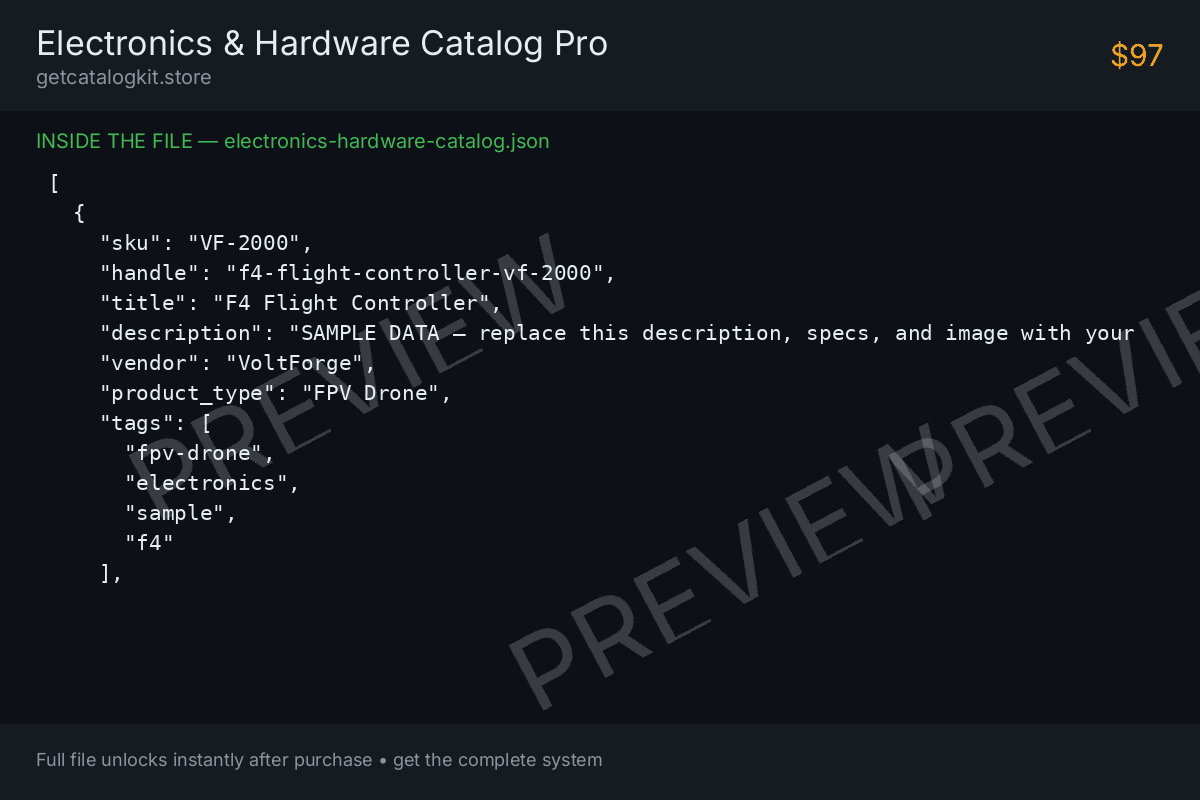
Preview of Electronics & Hardware Catalog Pro — sample pages CSV + JSON

Electronics & Hardware Catalog Pro (.csv + .json)

25 FPV drone and maker-electronics products in both spreadsheet and developer formats — plus a column-mapping cheat-sheet that translates every header for WooCommerce.

What's Inside — full contents
  1. electronics-hardware-catalog.csv — 25 sample products (CSV for Shopify import)
  2. electronics-hardware-catalog.json — same 25 products (JSON for developers)
  3. column-mapping-cheatsheet.md — Shopify headers to WooCommerce names
  4. setup-guide.md — import flows for Shopify + WooCommerce

Files: electronics-hardware-catalog.csv (.csv), electronics-hardware-catalog.json (.json), column-mapping-cheatsheet.md (.md), setup-guide.md (.md)

$97
Buy Now & Download - $97
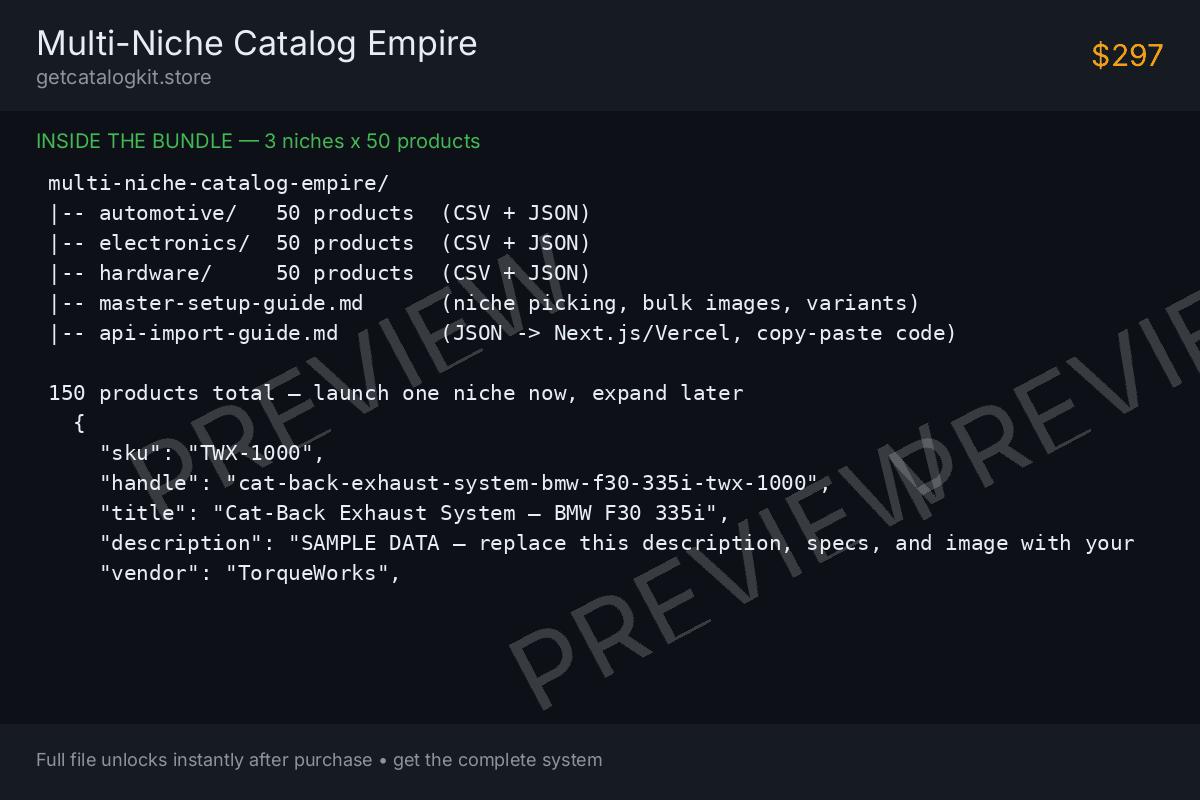
Preview of Multi-Niche Catalog Empire — sample pages CSV + JSON BUNDLE

Multi-Niche Catalog Empire (.csv + .json)

The flagship: three complete 50-product catalogs — automotive, electronics, hardware — 150 products total in CSV + JSON, with a master setup guide and a Next.js/Vercel API import guide.

What's Inside — full contents
  1. automotive-catalog.csv + automotive-catalog.json (50 products)
  2. electronics-catalog.csv + electronics-catalog.json (50 products)
  3. hardware-catalog.csv + hardware-catalog.json (50 products)
  4. master-setup-guide.md — niche picking, bulk images, variant mapping
  5. api-import-guide.md — JSON to Next.js/Vercel with copy-paste code

Files: automotive-catalog.csv (.csv), automotive-catalog.json (.json), electronics-catalog.csv (.csv), electronics-catalog.json (.json), hardware-catalog.csv (.csv), hardware-catalog.json (.json), master-setup-guide.md (.md), api-import-guide.md (.md)

$297
Buy Now & Download - $297
⚡

Instant Download

Pay once and your files are ready immediately. No waiting, no shipping, no accounts.

✅

Beginner-Proof Guides

Every product ships with a 1-minute visual setup guide. If you can copy and paste, you can use it.

🔒

Secure Stripe Checkout

Payments are processed by Stripe over encrypted connections. We never see or store your card.

Frequently Asked Questions

How do I import a CSV into Shopify?

In your Shopify admin, go to Products → Import, click Add file, choose the CSV, then Upload and preview → Import products. Our CSVs use Shopify's exact column headers, so the import works on the first try. The included setup guide walks through it click-by-click.

Will this work with WooCommerce?

Yes. The Pro and Empire packs include a column-mapping cheat-sheet that translates every header to WooCommerce's names (e.g. Title → Name, Variant Price → Regular price). Rename Row 1 per the sheet, then use Products → All Products → Import.

What's the difference between the CSV and JSON versions?

The CSV is a spreadsheet for Shopify/WooCommerce's built-in importers — no coding needed. The JSON is the same data in a developer format for custom Next.js/Vercel storefronts. Same products, two doors in.

Do I need coding skills?

No. The CSV path is pure point-and-click: edit in Google Sheets, import in Shopify. The JSON/API path is for developers — and the API guide includes copy-paste code plus a prompt you can give any AI coding assistant.

Can I use these templates on mobile?

You can edit the CSV in the Google Sheets mobile app and run the Shopify import from your phone's browser. For the smoothest experience we recommend a computer for the first import.

Are the sample products real?

The 10–150 sample rows use realistic but fictional data (sample brand names, placeholder example.com image links) so you can see exactly how a finished catalog looks. Replace titles, prices, SKUs, stock, and image URLs with your real products before publishing — the guides show you how.

What is your refund policy?

Due to the instant-access nature of downloadable digital assets, all sales are final and non-refundable once downloaded. Please read the product description carefully before purchasing.